What is Voluntary Administration?
Voluntary Administration is a formal insolvency process where an external administrator is appointed to take control of a company. This article outlines how to process and record a Voluntary Administration in CAS 360.
Steps to Record a Voluntary Administration in CAS 360
When a company enters Voluntary Administration, this status must be correctly reflected in CAS 360 for compliance and reporting purposes.
| From the Main Toolbar, go to Company. | |
| Select the Company from the list. | |
| Select General Details |
Under the Company Status section, change Status to Voluntary Administration.
The Prepare Forms icon will appear.
Click Prepare Forms to launch the Voluntary Administration screen.
The screen is divided into steps on the left-hand side to help you through the administration process
This is when the administrator takes control of the company, and the directors’ powers are curtailed.
In this screen, you can select the Administrator, who the administrator was Appointed By and the Date Appointed
This section allows you to record a director's Statement on the company. Further, this can be dated, and Attachments can be added and saved here
Administrator’s interest statement disclosed, Directors provide financial info, and Creditors can appoint a committee and replace the administrator
CAS 360 allows you to record in this section the Meeting Place, Meeting Date, Meeting Time, Meeting Business and add any other Attachments to be saved into the screen
The watershed meeting is where Creditors vote on the proposed plan. This may be a:
- Deed of Company Arrangement (DOCA) (75% in value & 50% number to pass),
- Return to the directors, or
- Liquidation
CAS 360 allows users to record meeting information in this section, such as the Meeting Place, Meeting Date, Meeting Time, Meeting Business and add any other Attachments to be saved into the screen
Navigation tools
Navigation tool | Explanation |
| Move to the next section | |
| Move to the previous section | |
| Save and close the screen | |
| Close screen without saving | |
| Once all the steps are completed, save and prepare documents. |
Continue recording the Voluntary Administration
You can continue editing or updating the Voluntary Administration record via the Relationships screen:
| From the Main Toolbar, go to Company. |  |
| Select the Company from the list. | 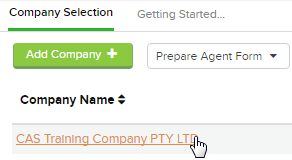 |
| Select Relationships |  |
To continue to record the voluntary administration, locate the Administrator, click Options and select continue voluntary administration
Forms Prepared
CAS 360 will display the Document Production screen and automatically select the documents required:
- Directors Minutes or Resolution
- Consent to Act as Administrator
- Administrator Appointment
- Directors Statement
- Notice of Creditors Meeting
- Notice of Watershed Meeting