Overview
CAS360 supports a Register of Director Certificates for New Zealand companies. Director Certificate details can be added on the Officer's screen, allowing you to maintain a complete and compliant list of certificates within CAS 360.
Having these details saved within the software then enables you to generate a list of these certificates as a part of your Full Company Register set.
Navigation
| From the Main Toolbar, go to Company. | |
| Select the Company from the list. | 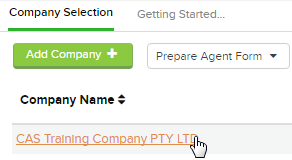 |
| Select Officers |
Add Director Certificates
- Select Director Info +, then click on Add Director Certificates:
- Enter the following pieces of information relating to the Director Certificate:
| Item | Description |
|---|---|
| Certificate Date | Enter the Date for the certificate. By default this is set to today's date. |
| Certificate Number | Enter the Number associated with the certificate. |
| Year End | Select the Year / Period associated with the certificate. |
| Type of Certificate |
Enter the Type of Certificate. Circumstances requiring a certificate include:
|
| Relevant Act Section | Record which section of the Companies Act 1993 is related to this certificate. |
| Description/Purpose | Enter any further information related to the certificate. |
| Directors Who Signed | Select relevant individuals from the list of Directors added to the company. |
| Location of Certificate | Enter the location where the certificate is kept. |
- Once complete, click Save.
Review Director Certificates
Each certificate record can be reviewed and edited after they have been added.
- Select Director Info +, then click on Review Director Certificates:
- Select the three dots
to open the options menu. Here you can select Edit to change any details of the existing certificate, or Delete any recorded certificates.
- To generate a Register of these certificates, select Print then click Print Register:
As mentioned above, this Director Certificates Register is included in the Full Company Register Set that can be generated from the Reports screen.
Keeping complete and accurate certificate records within the Director Certificates section will ensure that this certificate register will be included in relevant Company Reports when they are generated.